
Blog
Does Email Warm Up Work? What It Fixes, What It Can't, and Who Can Skip It
Does email warm up work? See what warmup fixes, what it can't, who can skip it and what happens if you stop, using 2025 and 2026 provider and benchmark data.

How many secondary domains do you need for cold email, and what does it cost? Domains, inboxes, warmup tools, and monitoring explained with real price ranges.
Does email warm up work? See what warmup fixes, what it can't, who can skip it and what happens if you stop, using 2025 and 2026 provider and benchmark data.

How to warm up email in four weeks: setup order, a week-by-week schedule, stop-and-hold limits and a realistic date for your first cold campaign.
Your domain landed on a blacklist after a volume jump. Learn how to check Spamhaus, submit removal requests, and rebuild sender reputation step by step.
Request a quote and our experts will contact you within 24 hours with tailored solutions and pricing.
You can also send us a quick email at support@skale.email.
skale.email
Last updated: Oct 15, 2026
By the skale.email editorial team | Last reviewed: October 2026
Pricing figures for Google Workspace and Microsoft 365 reflect published rates as of October 2026 and should be verified at each content refresh.
Cold email infrastructure is the collection of secondary sending domains, hosted inboxes, warmup tooling, and monitoring checks a team must build before sending a single outbound campaign - and what it costs depends on mapping each layer separately.
If you have just bought a fresh domain and are planning outbound, two questions come up immediately: how many domains do you actually need, and what will this cost each month? They are connected. The number of domains determines your hosting bill, your warmup tool tier, and how long before your first campaign can safely go out. This guide maps every layer of cold email domain setup costs, with real price ranges, a build-versus-buy comparison, and a decision framework for solo senders through agency-scale teams.
Key Takeaways
- Cold email infrastructure requires at least one secondary sending domain per active sending identity; your primary business domain should never carry cold outbound sends.
- A practical starting point is two to three secondary domains with two to three inboxes each, keeping per-inbox daily volume inside safe limits.
- Total monthly costs for a solo or small-team setup typically fall between $80 and $150, covering domains, mailbox hosting, and a warmup tool (as of October 2026).
- All four infrastructure layers - domain registration, inbox hosting, warmup, and monitoring - are necessary; skipping any one creates a deliverability gap.
- Warmup sends and sequencer sends share a single daily per-inbox cap: both must be planned together, or the ramp math breaks.
In this guide:
Cold email infrastructure requires at least one secondary sending domain per active sending identity - never your primary business domain. A practical starting point is two to three secondary domains, each hosting two to three inboxes, which keeps daily send volumes inside safe per-inbox limits while protecting your main domain's reputation. Total monthly costs for a functional solo or small-team setup typically fall between $80 and $150, covering domain registration, mailbox hosting, and a dedicated warmup tool (as of October 2026).

The math becomes clear once you know the key constraint. skale.email's product guidance recommends keeping combined daily sends - warmup plus sequencer - to 30 to 50 per inbox during the first months of a domain's life. If your campaign needs to send 200 emails per day, that requires at minimum four to seven inboxes spread across two to three domains, to avoid concentrating all reputation risk on a single domain.
skale.email product data (October 2026): The recommended ceiling for combined sends (warmup plus sequencer) per inbox during the first months of a domain's life is 30 to 50 per day. Exceeding that ceiling risks triggering volume-based spam filters and erasing warmup progress before the domain has built a stable reputation.
A standard architecture pairs one secondary domain with two to three inboxes. Running more than three inboxes on a single domain puts more reputation weight on that domain. If it gets flagged or blacklisted, every inbox on it goes down together.
Here is a quick reference based on daily send targets, with hosting costs modelled at approximately $6 per inbox per month (Google Workspace pricing (2026)):
| Daily sends needed | Inboxes required | Domains recommended | Estimated monthly hosting cost |
|---|---|---|---|
| Up to 50 | 2 | 1-2 | $12 - $24 |
| 50-150 | 3-5 | 2-3 | $18 - $60 |
| 150-300 | 6-10 | 3-4 | $36 - $120 |
| 300-600 | 12-20 | 5-7 | $72 - $240 |
A secondary sending domain should look plausible but clearly distinct from your primary domain. Common conventions include adding a prefix or suffix: get-yourcompany.com, mail.yourcompany.io, or yourcompanyhq.com. Avoid hyphenated domains with obvious spam-trigger words. The goal is a domain a recipient could associate with a real company, not a randomly generated string.
A secondary domain is a domain registered specifically for cold outbound sending, separate from the domain hosting your company website, product, and transactional email. Cold email requires secondary domains because a spam complaint, blacklisting event, or authentication failure on a sending domain can damage sender reputation across your entire portfolio if domains share an IP or root domain. Isolating cold outbound on secondary domains keeps your primary domain's reputation intact.

Sender reputation is a score or signal that mailbox providers - including Google, Microsoft, and Yahoo - assign to a sending domain or IP address. They build it from complaint rates, bounce rates, authentication pass or fail status, and engagement patterns. A new domain starts with no reputation. That is exactly why it needs a warmup period before carrying live campaign volume. Google's own deliverability signals are documented in Google Postmaster Tools (2026); Microsoft publishes parallel guidance through its Sender Support documentation (2026).
The practical consequence: if your company's primary domain is yourcompany.com, your sales team's cold outbound should come from get-yourcompany.com or a similar variation. Transactional email - invoices, password resets, product notifications - stays on yourcompany.com, insulated from reputation damage on the sending domain.
A secondary cold email domain needs four things before it can send:
p=none to collect reporting data without enforcing rejections.Cold email infrastructure costs break across four layers: domain registration runs roughly $10 to $15 per domain per year at most major registrars; mailbox hosting costs approximately $6 per inbox per month on Google Workspace Business Starter (2026) or Microsoft 365 Business Basic (2026); a dedicated warmup tool adds $29 to $139 per month depending on tier; and monitoring, bundled with most warmup tools, adds $0 to $30 per month if sourced separately.
Here is a full cost model across common setup sizes (as of October 2026):
| Setup type | Domains | Inboxes | Domain cost/yr | Hosting/mo | Warmup/mo | Monitoring/mo | Total/mo (approx.) |
|---|---|---|---|---|---|---|---|
| Solo / founder | 2 | 4 | $20 - $30 | $24 - $48 | $29 - $50 | $0 (bundled) | $55 - $100 |
| Small team (5 reps) | 4 | 12 | $40 - $60 | $72 - $144 | $50 - $100 | $0 - $30 | $125 - $280 |
| Agency (10 clients) | 15-20 | 30-60 | $150 - $300 | $180 - $360 | $139 - $200 | $0 (bundled) | $325 - $580 |
Domain cost is annualised; the per-month equivalent is roughly $1 to $2.50 per domain. Monitoring cost assumes bundled monitoring inside a warmup tool where available.
Domain registrars charge $10 to $15 per domain per year for standard .com extensions (as of October 2026). Some offer first-year discounts that jump significantly on renewal - always check the renewal price before committing to a batch. .io and other extensions cost more: budget $35 to $50 per year for those.
Popular registrars with straightforward DNS management panels include Namecheap, Squarespace Domains, and Cloudflare Registrar (2026). Cloudflare Registrar charges at cost with no markup on most TLDs, making it a common choice for teams buying domains in volume.
Mailbox hosting is the service that stores and sends mail from your secondary domain's inboxes. Google Workspace Business Starter and Microsoft 365 Business Basic both run approximately $6 per user per inbox per month when billed monthly (Google Workspace pricing (2026), Microsoft 365 pricing (2026)). Each inbox on a secondary domain requires its own paid user seat.
For cold email infrastructure, Google Workspace and Microsoft 365 are the standard choices because their IP ranges carry established trust with receiving mail servers. Sending from shared-hosting email or a cheap cPanel-based inbox puts you on shared IPs with unknown reputations. That undermines the warmup effort before it begins.
A dedicated email warmup tool is a service that automatically sends and replies to emails from your new inboxes, gradually increasing volume over days and weeks to build sender reputation with mailbox providers. It operates separately from your cold-email sequencer: the sequencer sends your actual prospect emails; the warmup tool builds and maintains each inbox's baseline reputation.
skale.email product data (October 2026): skale.email's Individual plan is $29 per month, covering one workspace. The Agency tier is $139 per month for up to ten workspaces with unlimited mailboxes per workspace. Both plans include per-mailbox health monitoring for SPF, DKIM, DMARC, MX records, rDNS, and blacklist status as part of the core product - no separate monitoring tool required.
Inbox health monitoring covers SPF, DKIM, DMARC, MX record, rDNS (reverse DNS), and blacklist status checks for each domain and inbox. Catching a misconfigured record or a blacklist appearance before a campaign sends can prevent thousands of wasted outreach attempts and weeks of reputation repair. Some warmup tools bundle per-mailbox health monitoring into their core product. Standalone monitoring services range from free for basic DNS checks via tools like MXToolbox (2026), to $20 to $30 per month for full blacklist and authentication monitoring.
Cold email infrastructure tools span four categories: a domain registrar for secondary sending domains, a mailbox hosting provider for the inboxes on those domains, a dedicated email warmup tool to build sender reputation before live campaigns begin, and a monitoring layer to check SPF (Sender Policy Framework), DKIM (DomainKeys Identified Mail), DMARC (Domain-based Message Authentication, Reporting and Conformance), MX records, rDNS, and blacklist status. Each layer is distinct and most teams need all four.
A domain registrar is the service where you purchase secondary sending domains and manage their DNS records. Key DNS records you will configure at the registrar:
p=none to monitor before enforcing - see DMARC.org (2026) for the full specification)Google Workspace and Microsoft 365 are the standard mailbox hosting choices for cold email infrastructure. Both support OAuth-based connections to third-party tools, including warmup platforms, as well as SMTP/IMAP access. Both require domain verification, which typically takes 30 to 60 minutes per domain for a first-time user. The choice usually comes down to which provider your team already uses for its primary mailboxes.
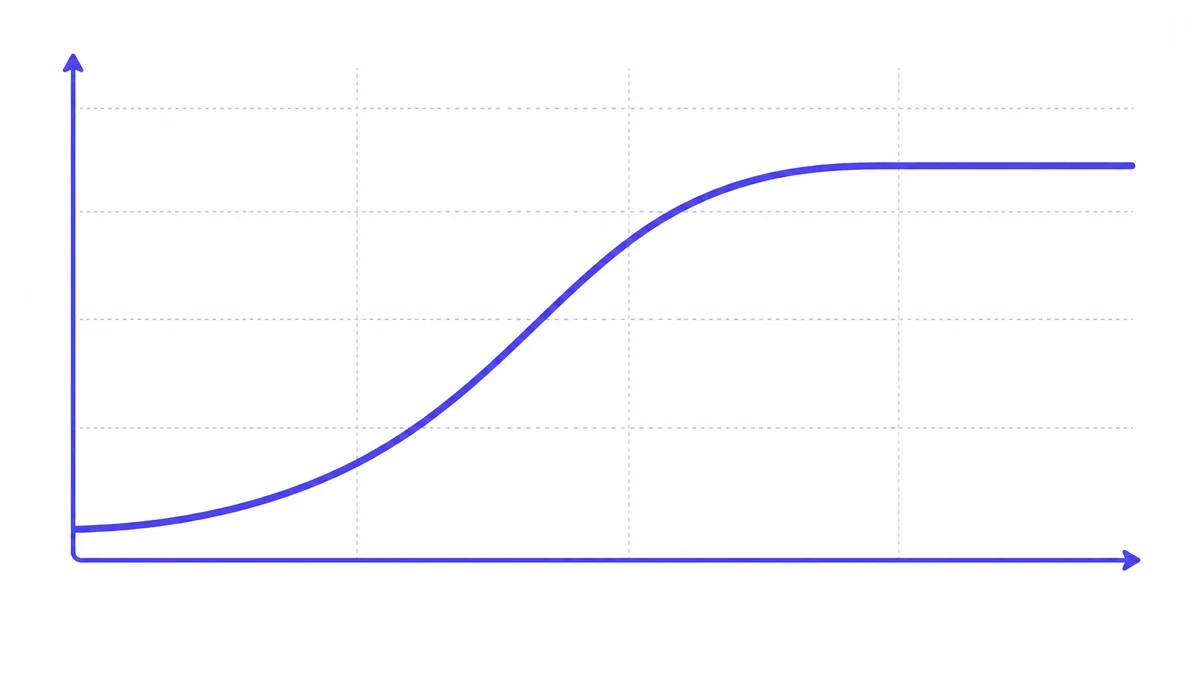
Email warmup is the process of gradually increasing send volume from a new or cold inbox so that mailbox providers recognise it as a legitimate sender. A warmup tool automates this by sending and replying to emails within a network of warm inboxes, mimicking normal human correspondence: gradual ramp curves, threaded replies, and varied timing.
Without a warmup period, a new inbox sending 50 or 100 emails on day one looks like a spam burst to Google's and Microsoft's filters. The warmup tool's job is to establish a pattern of normal sending behaviour before the sequencer sends anything to real prospects.
Key features to look for in a warmup tool:
Even after a successful warmup, domains need ongoing monitoring. Blacklists update daily. DNS records can be accidentally overwritten during a registrar migration. A monitoring layer watches for blacklist appearances, authentication failures, MX record misconfigurations, and sudden changes in inbox placement rates.
The most efficient setup combines warmup and monitoring in the same tool, so one dashboard shows both warmup progress and health signals for every inbox in your stack.
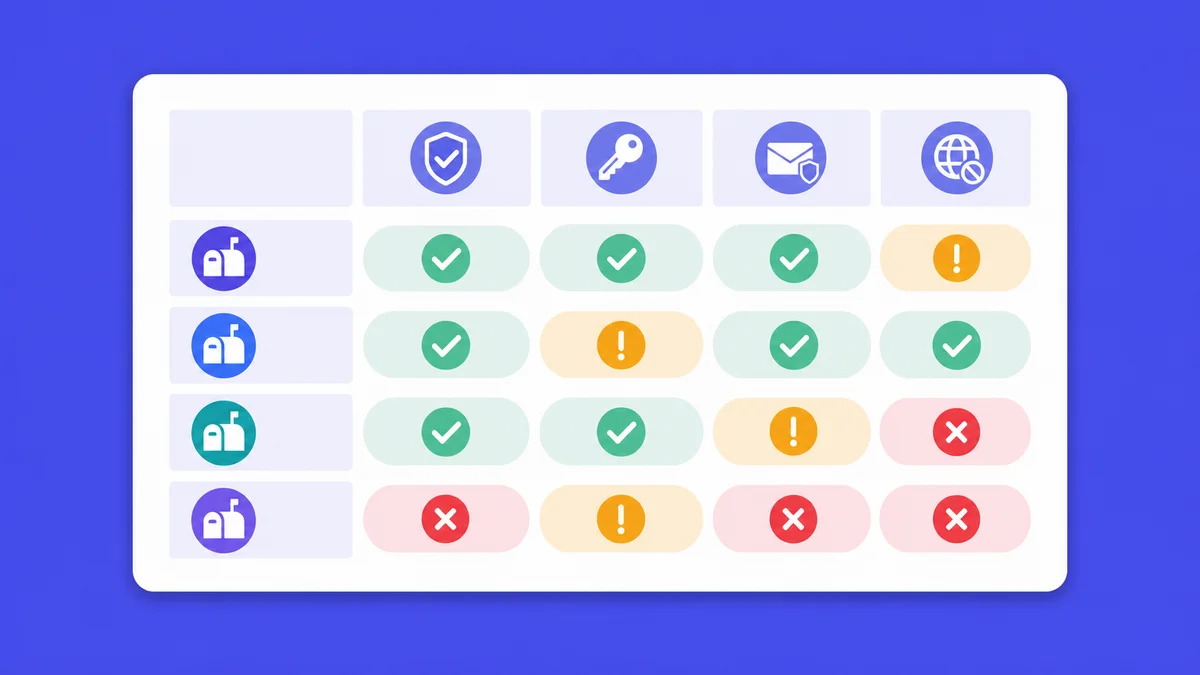
SPF (Sender Policy Framework), DKIM (DomainKeys Identified Mail), and DMARC (Domain-based Message Authentication, Reporting and Conformance) are three DNS records that mailbox providers use to verify a sending domain's legitimacy. All three must be correctly configured on every secondary cold email domain before warmup begins and before any campaign send. Missing or misconfigured records are among the most common causes of immediate spam folder placement, regardless of warmup ramp quality.
@).v=spf1 include:_spf.google.com ~allv=spf1 include:spf.protection.outlook.com ~allUse ~all (softfail) rather than -all (hardfail) during initial setup. Hardfail can cause delivery failures if your SPF record is incomplete or a legitimate sending path is missing.
google._domainkey.yourdomain.com.dkim=pass._dmarc.yourdomain.com.v=DMARC1; p=none; rua=mailto:dmarc-reports@yourdomain.comrua address collects aggregate reports showing whether SPF and DKIM are passing.p=quarantine, then eventually p=reject.The full DMARC specification is documented at DMARC.org (2026). All three records must be in place before the warmup tool begins sending. A warmup tool building reputation on a domain without DKIM is building on an incomplete foundation that receiving mail servers will distrust.
Advanced cold email infrastructure planning requires coordinating the warmup ramp with the sequencer's send schedule, respecting per-inbox daily send limits, and rotating across inboxes to distribute volume. Sequencer sends and warmup sends share a single daily cap per inbox, so both must be planned together. Exceeding the combined ceiling risks triggering volume-based spam filters and erasing warmup progress. Inbox rotation across multiple secondary domains reduces per-inbox load and adds resilience.
This is the most commonly overlooked constraint in cold email infrastructure planning. If your warmup tool is sending 20 emails per day from an inbox, and your sequencer is also sending 30 prospects per day from the same inbox, the combined load is 50 sends - right at the ceiling.
skale.email's own published product guidance puts it plainly: "Sequencer handles prospects; warmup handles reputation... Add both volumes and stay inside your ramp plan." Both must fit inside a shared daily cap, or the ramp math breaks.
| Week | Warmup sends/day | Sequencer sends/day | Total per inbox | Notes |
|---|---|---|---|---|
| 1 | 10 | 0 | 10 | Warmup only; no prospect sends |
| 2 | 15 | 5 | 20 | Begin low-volume prospecting |
| 3 | 20 | 20 | 40 | Moderate campaign volume |
| 4+ | 20 | 30 | 50 | Steady state; monitor weekly |
Adjust based on your warmup tool's ramp strategy and the actual volume your campaign requires.
Inbox rotation is the practice of distributing outbound cold email volume across multiple inboxes or sending domains so that no single inbox carries the full daily load. Most modern cold-email sequencers support inbox rotation natively: connect four inboxes and the sequencer round-robins sends across them.
Rotation provides two benefits:
A team sending 200 prospect emails per day across six inboxes averages about 33 sends per inbox per day - comfortably inside the 50-send ceiling.
Setting up cold email infrastructure yourself is realistic for anyone comfortable with DNS management: register secondary domains, configure SPF, DKIM, and DMARC records, create inboxes on Google Workspace or Microsoft 365, and connect those inboxes to a warmup tool. Managed infrastructure services handle these steps for a fee, typically saving one to three hours per domain batch. The real risk with DIY is misconfigured DNS records that silently break deliverability without producing an error message.
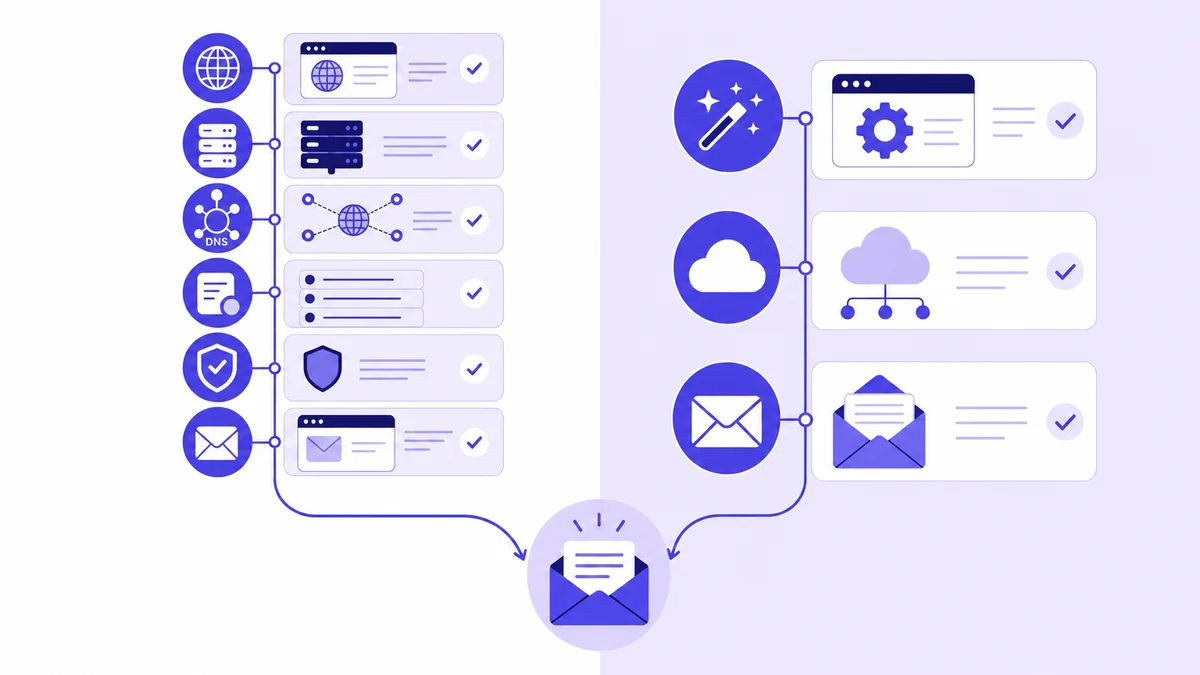
The DIY path requires these steps in sequence:
For a two-domain, four-inbox setup, plan on three to five hours of focused setup time. For a ten-domain agency setup, plan on a full working day. Neither estimate includes the two to four week warmup period itself - that runs in the background after setup is complete.
The main risk with DIY is silent misconfiguration: an SPF record with a typo, a DKIM key that was never activated, or a DMARC record pointing to an address that does not exist. These errors produce no warning. They produce emails landing in spam, discovered only when a campaign's reply rate is suspiciously low.
Managed cold email infrastructure services handle domain purchase, DNS configuration, hosting account creation, warmup tool connection, and initial health verification on your behalf. They charge either a one-time setup fee - typically $50 to $200 per domain batch - or include setup as part of a monthly retainer.
| Factor | DIY | Managed service |
|---|---|---|
| Setup time | 3-8 hours for first batch | 0-1 hour (approvals only) |
| Setup cost | $0 labour if done in-house | $50 - $200 per batch |
| Error risk | Higher without DNS experience | Lower; provider verifies their own work |
| Ongoing control | Full | May require service for changes |
| Best for | Teams with RevOps or technical resources | Solo founders, agencies scaling fast |
Managed setup makes sense when:
It does not make sense when:
If you want warmup and monitoring in one tool rather than two, skale.email combines automated warmup with per-mailbox health monitoring, configurable ramp strategies, and multilingual content for teams sending in Spanish, French, Hindi, and English. Start a free 15-day trial at skale.email - no credit card required.
Dedicated cold email infrastructure - multiple secondary domains, mailbox hosting subscriptions, and a warmup tool - is not cost-effective for every sender. Three situations make dedicated infrastructure the wrong investment: very low send volume (under ten cold emails per day from an established inbox), need for a full sequencer rather than warmup-only tooling, and a small static list with no plans to scale. At under ten sends per day, the $80 to $150 per month infrastructure cost far exceeds its deliverability benefit.
Specifically, dedicated infrastructure is the wrong move if:
skale.email's own published guidance states it directly: "Under 10 cold emails a day from an established inbox, peer warmup might be enough. New inboxes or higher volume benefit from automation." An honest disqualifier is worth more than a sale to a buyer who will churn.
Cold email infrastructure costs between roughly $50 and $500 or more per month, depending on the number of secondary domains, inboxes per domain, and the tools chosen for warmup and monitoring. A minimal solo setup - two or three domains, four to six inboxes, and a dedicated warmup tool - typically runs $80 to $150 per month as of October 2026. An agency operating dozens of client domains will spend proportionally more, primarily on domain registrations and mailbox hosting seats.
Two to three secondary domains is a practical starting point for most solo senders and small outbound teams. Each domain should host two to three inboxes, giving four to nine inboxes total - enough to distribute 150 to 250 daily sends while keeping each inbox inside safe per-inbox limits. Scale by adding roughly one domain for every 50 to 75 additional sends per day you need.
Bundled warmup inside a sequencer is typically a generic add-on with a single ramp strategy and English-only content. A dedicated warmup tool provides configurable ramp strategies, threaded replies, automatic spam recovery, multilingual content, and per-mailbox health monitoring covering SPF, DKIM, DMARC, and blacklist status - capabilities bundled features typically do not match. A dedicated tool also works underneath any sequencer rather than being tied to one platform.
Most secondary cold email domains need two to four weeks of structured warmup before carrying full campaign volume. A ramp to 30 sends per day is achievable in two weeks; a ramp to 100 sends per day may take four to six weeks. The warmup ramp must account for both warmup sends and eventual sequencer sends, since both share the same per-inbox daily limit.
No. Sending cold outbound from your primary business domain puts transactional email, product notifications, and customer correspondence at risk. A single spam complaint or blacklisting event on a cold-email campaign can affect inbox placement for your entire company's outgoing mail. Secondary domains exist specifically to isolate reputation risk away from your primary domain.
Take the blacklisted domain off campaign sends immediately. Inbox health monitoring should catch a blacklist appearance within 24 hours. Submit removal requests to the relevant blacklists, pause warmup and campaign sends on the affected domain for at least a week, investigate the trigger - bounce rate spike, complaint rate, or authentication failure - and bring another domain from your rotation into active use while the affected domain recovers.
Cold email infrastructure setup follows ten ordered steps, from defining send volume through beginning the warmup ramp. Configuring SPF, DKIM, and DMARC authentication records before connecting to a warmup tool is mandatory - warmup builds sender reputation on top of that DNS foundation, and a ramp on a domain with missing records is building on ground that receiving mail servers will reject.
Work through these steps in order:
Start a free 15-day trial at skale.email - no credit card required - to handle warmup and per-mailbox health monitoring from one dashboard, with configurable ramp strategies and multilingual content for English, Spanish, French, and Hindi campaigns.
Cold email infrastructure is four layers: secondary domains, mailbox hosting, warmup tooling, and monitoring. Every layer has a cost and a function, and skipping any one creates a gap that a campaign will eventually fall into.
The core numbers (as of October 2026): two to three secondary domains, two to three inboxes per domain, a warmup tool that matches your ramp strategy and language requirements, and a monitoring setup that catches authentication failures and blacklist appearances before your campaign sends. A solo setup costs $80 to $150 per month. An agency setup scales proportionally with the number of client domains under management.
The most expensive mistake in this stack is not overspending on domains. It is misconfiguring DNS records silently and spending weeks debugging why campaigns are not working. Get SPF, DKIM, and DMARC right first. Everything else runs on that foundation.
Continue learning (planned guides in this cluster):