How Long Does Email Warmup Take? Realistic Timelines for New Inboxes and New Domains
Published by the skale.email deliverability team, October 2026. Author byline pending founder LinkedIn confirmation per editorial policy.
Email warmup is the process of gradually increasing sending volume from a new or cold domain so that Internet Service Providers recognize it as a legitimate sender before any real outbound campaign begins, and for most new domains the process takes between 3 and 8 weeks.
That range is wide for a reason. A domain purchased yesterday and one that sent a handful of emails last quarter are in very different positions. Getting the timeline wrong in either direction is costly: rush the ramp and your first campaign lands in spam, costing weeks of reputation repair. Wait too long and your outbound motion stalls. This guide gives you realistic, week-by-week ramp guidance based on skale.email's 2026 recommended warmup schedule, explains what moves the timeline, and shows you which signals confirm a domain or inbox is genuinely ready to send.
Key Takeaways
A brand-new domain with zero sending history needs 6 to 8 weeks of structured warmup before a real campaign, based on skale.email's 2026 recommended ramp schedule.
A domain with a clean but limited sending history can reach campaign-ready status in 3 to 4 weeks, per skale.email's 2026 ramp guidance.
Sender Policy Framework (SPF), DomainKeys Identified Mail (DKIM), and Domain-based Message Authentication, Reporting and Conformance (DMARC) must be correctly configured before warmup begins. Errors here are the single most common reason warmup stalls.
Calendar time alone does not determine readiness. Spam-folder placement rate and reply engagement are the real signals that a domain has cleared the threshold.
Warmup improves reputation but cannot compensate for poor data or spammy copy, per skale.email's own guidance.
In this guide:
What email warmup is, and why the timeline matters
How long to warm up email from a single inbox
A week-by-week domain warmup ramp schedule
The variables that make warmup faster or slower
The signals that tell you warmup is working
When a domain is actually ready to send a campaign
Limitations and who this is not for
How to get started
Frequently asked questions
What Is Email Warmup, and Why Does the Timeline Matter?
Email warmup is the process of gradually increasing the volume of emails sent from a new or cold domain so that Internet Service Providers learn to recognize it as a legitimate sender before any real campaign begins. The timeline matters because sending at full volume from an unestablished domain triggers spam filters by default, and rebuilding a damaged sender reputation takes weeks longer than warming up correctly the first time.
When a domain has no sending history, every major mail provider treats it as an unknown quantity. The filtering logic is straightforward: a domain that suddenly sends 50 or 100 emails on its first day looks indistinguishable from one a spammer registered that morning. The warmup process creates a pattern of evidence that looks nothing like that spike. Gradual sends, genuine replies, consistent engagement, and clean authentication signals all tell the same story to the receiving server: this is a real sender.
The stakes extend well beyond a few emails in the spam folder. A domain filtered aggressively on its first real send can be pushed onto blocklists that take weeks to clear. skale.email's own evidence frames the consequence plainly: teams can lose weeks rebuilding reputation after a bad first send.
A physical desk calendar open to a four-week spread with handwritten send-count milestones rising each week
Sender reputation is the composite signal assigned by Internet Service Providers to a sending domain or IP address based on its historical sending patterns, engagement rates, and complaint volume. It is not a single number you can look up; it is a judgment made independently by each provider, updated with every send. Google Postmaster Tools (Google, accessed 2026) offers one window into how Gmail assesses a domain's standing. Google's Email Sender Guidelines (updated 2024 to 2025, per Google Postmaster Tools documentation) require Sender Policy Framework and DomainKeys Identified Mail alignment for bulk senders, and Microsoft's Smart Network Data Services documentation (Microsoft SNDS, accessed 2026) similarly uses authentication signals to assess sender trustworthiness. These requirements make authentication setup a non-negotiable prerequisite before any warmup begins.
skale.email's guidance: Authentication failures on a new domain do not just slow the warmup; they can actively worsen the domain's standing with providers. skale.email's 2026 operational guidance recommends verifying that SPF, DKIM, and DMARC are all passing before sending a single warmup email, because unauthenticated warmup sends arrive without the signals providers use to assess legitimacy.
How Long to Warm Up Email?
Warming up email from a single inbox on an established domain typically takes 3 to 4 weeks, based on skale.email's 2026 ramp guidance. Starting from a completely new inbox on a brand-new domain, the process takes 6 to 8 weeks. The key variable is not calendar time alone but the health signals along the way: consistent reply engagement, near-zero spam-folder placement, and all authentication checks passing cleanly.
Sender Policy Framework (SPF) is the authentication protocol defined in RFC 7208 (current governing standard as of 2026) that specifies which mail servers may send email on behalf of a domain. If SPF is missing or broken, warmup effectively cannot start: sending volume without authentication follows the same pattern spam domains use, and providers treat it accordingly.
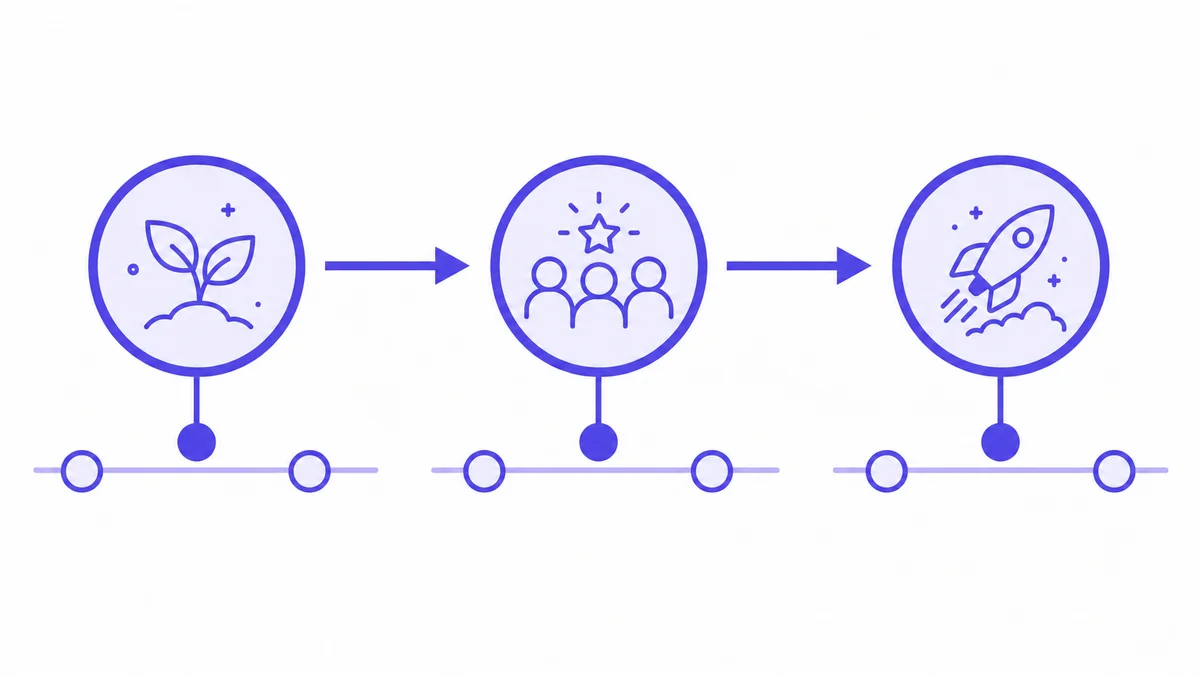
Horizontal three-stage warmup timeline showing Foundation, Building Reputation, and Campaign-Ready phases
The difference between warming up an inbox and warming up a domain
An inbox is the specific mailbox tied to an address like hello@yourdomain.com. A domain is the broader sending identity, yourdomain.com itself, including all the authentication records that govern how any inbox on it is treated.
Warming up an inbox and warming up a domain are related but not identical. When you warm up an inbox on a domain with no sending history, you are doing both simultaneously. When you add a new inbox to a domain with a healthy sending record, that domain's existing reputation provides a partial head start. That is why the 3 to 4 week timeline applies in the second scenario.
Inbox warmup by scenario
The figures in this table reflect skale.email's 2026 recommended starting points for each inbox type.
Scenario
Typical warmup duration
Starting daily volume
New inbox, brand-new domain
6 to 8 weeks
5 emails per day
New inbox, established domain (clean record)
3 to 4 weeks
10 to 15 emails per day
Existing inbox recovering from spam-folder flagging
6 to 8 weeks
Reset to 5 emails per day
Existing inbox, volume increase only
2 to 4 weeks
Current send volume
skale.email's guidance: The starting volumes in the table above are the minimum baselines from skale.email's 2026 warmup design. The duration column assumes health signals remain clean at each phase. If signals degrade at any point, stay at the current volume rather than advancing to the next tier.
How Long Email Warm Up Domain? A Week-by-Week Ramp Schedule
A domain warmup ramp runs across four broad phases over 4 to 8 weeks, based on skale.email's 2026 recommended schedule. Brand-new domains should start at 5 to 10 emails per day in weeks 1 and 2, scale to 20 to 35 in weeks 3 and 4, reach 50 to 75 sends per day in weeks 5 and 6, and arrive at full campaign volume in weeks 7 and 8, provided all health signals remain clean at each phase.
The ramp curve is the planned schedule of daily send-volume increases during warmup. It is not a fixed number that jumps on a fixed calendar date. It is a health-gated progression: you move to the next phase only when the current phase is producing clean signals.
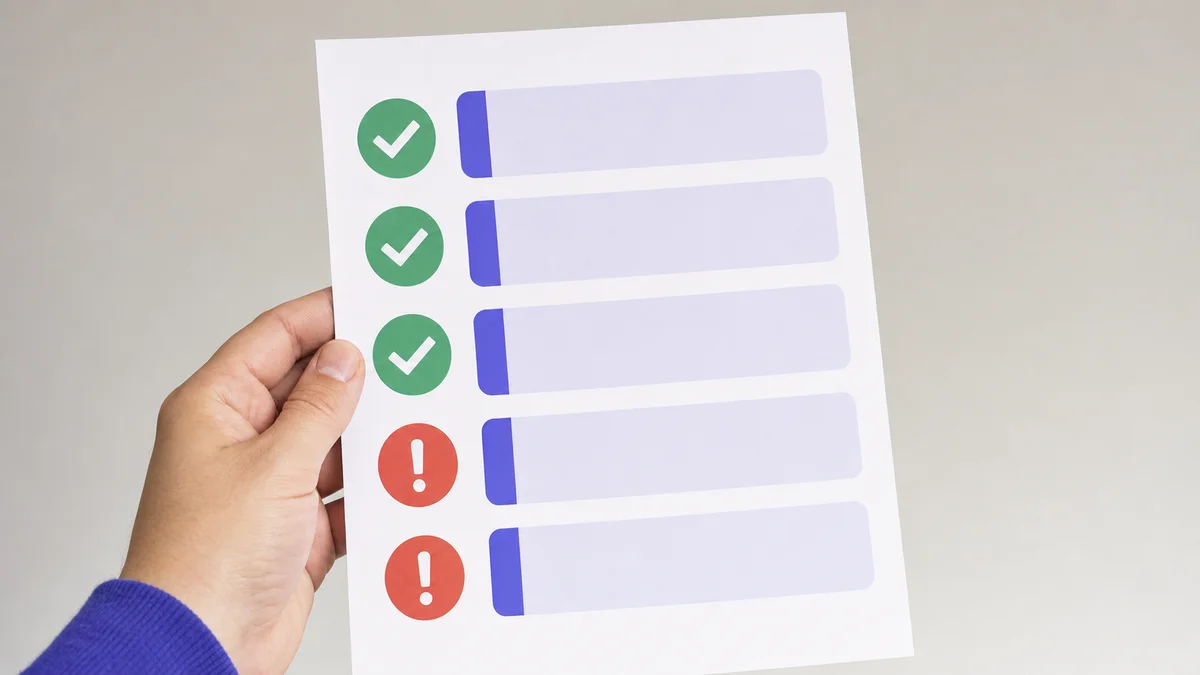
A printed domain health checklist showing SPF, DKIM, DMARC, MX, and blacklist status with pass or fail icons
Week-by-week ramp schedule for a brand-new domain
The figures below reflect skale.email's 2026 recommended warmup schedule for a domain with no prior sending history.
skale.email's ramp data: The daily send targets below are the three ramp-strategy starting points from skale.email's 2026 warmup schedule. If your campaign target is 30 emails per day, you may reach it before week 8. If your target is 200 sends per day, extend the ramp rather than compressing it to fit the calendar.
Week
Daily send target (skale.email 2026 schedule)
What to watch
Week 1
5 to 10 emails per day
Reply rate from warmup peers; zero spam-folder placement
Spam-folder placement still near zero; no sudden drops in replies
Week 5
50 to 75 emails per day
Authentication checks clean; MX and reverse DNS (rDNS) passing
Week 6
75 to 100 emails per day
All health signals stable before increasing further
Week 7
100 to campaign target
Confirm campaign copy is conversational, not promotional
Week 8
Full campaign volume
Final health check before first real send
Three ramp strategies to know
Not every domain needs the same ramp shape. Three approaches cover most cases:
Progressive ramp: Volume increases steadily by a fixed percentage each week. The most common approach for new domains with no history; gives providers the cleanest evidence of organic growth.
Flat ramp: Volume stays constant at a moderate level for several weeks before stepping up. Useful when the target campaign volume is low and consistent engagement matters more than speed.
Randomized ramp: Daily send counts vary within a safe range rather than following a predictable curve. Designed to look closer to natural human sending behavior, where no two days are identical.
skale.email supports all three ramp strategies as configurable options per mailbox, so the shape of the ramp can match the actual use case rather than defaulting to a single generic curve.
What Factors Make Your Warmup Take Longer (or Shorter)?
Several variables affect how long a domain warmup takes: whether the domain is brand new or has prior history, whether all three authentication records (SPF, DKIM, DMARC) were correctly configured before day one, the target campaign send volume, the quality of the recipient list, and whether email copy reads as genuine correspondence. Authentication errors on a new domain are the single most common cause of warmup stalling, per skale.email's 2026 operational guidance.
Two ramp-curve graphs side by side on a desk, one labeled New Domain and one labeled Flagged Inbox
Authentication setup: the make-or-break prerequisite
DomainKeys Identified Mail (DKIM) is the authentication method defined in RFC 6376 (current governing standard as of 2026) that attaches a cryptographic signature to outgoing messages, allowing receiving servers to verify they were not altered in transit.
Domain-based Message Authentication, Reporting and Conformance (DMARC) is the policy layer defined in RFC 7489 (current governing standard as of 2026) that tells receiving mail servers what to do when a message fails SPF or DKIM checks, and enables domain owners to receive failure reports.
All three protocols must be configured in the domain's DNS records before warmup starts. Google's Email Sender Guidelines (updated 2024 to 2025, per Google Postmaster Tools documentation) require SPF and DKIM alignment for bulk senders. Microsoft SNDS (Microsoft SNDS, accessed 2026) similarly uses authentication signals to assess sender trustworthiness. Sending warmup emails without these records does not just slow warmup; it can actively damage the domain's standing.
skale.email's guidance: Running a sequencer and a warmup tool from the same inbox at the same time creates a combined daily send total that must be planned as one number, not two separate budgets. skale.email's 2026 operational design states: "Sequencer handles prospects; warmup handles reputation... Add both volumes and stay inside your ramp plan." Failing to account for combined volume pushes total daily sends past safe levels and triggers the same overloading pattern warmup is designed to prevent.
Variables that shorten warmup
The domain has some legitimate sending history, even if low-volume
All three authentication records (SPF, DKIM, DMARC) were configured correctly before day one
Target campaign volume is 30 to 50 emails per day or lower, per skale.email's 2026 ramp guidance
Reply rates from warmup peers remain consistently positive
Email content is conversational and plain-text rather than image-heavy or promotional
Variables that extend warmup
The domain was registered within the last 30 days
Authentication records were missing, incomplete, or incorrect at the start
Target campaign volume is 100 or more sends per day, per skale.email's 2026 ramp guidance
The warmup process was interrupted for several days mid-ramp
A blacklist flag appeared during warmup and required remediation
Signs Your Warmup Is Working (and When to Slow Down)
A warmup is progressing correctly when reply rates from warmup peers remain consistent week over week, emails land in the primary inbox rather than the spam folder, and authentication checks for Sender Policy Framework, DomainKeys Identified Mail, Domain-based Message Authentication, MX records, reverse DNS, and blacklist status all pass cleanly. Warning signs include a sudden rise in spam-folder placement, a meaningful week-over-week drop in reply engagement, or a blacklist flag mid-warmup.
Threaded replies are the back-and-forth reply exchanges generated between warmup peer accounts during the warmup process. They are one of the strongest engagement signals available because replies tell receiving servers the content being sent is genuine correspondence, not a one-way broadcast. A warmup that sends without generating replies provides a materially weaker reputation signal.
Spam recovery is the automatic detection and retrieval of warmup emails that land in the spam folder, followed by moving them back to the inbox. This signals to the provider that a recipient actively retrieved a message from spam, a real engagement behavior that helps counteract the aggressive filtering providers apply to unfamiliar domains.
skale.email's guidance: Smart-freeze is an automatic platform feature that pauses warmup sends when health signals degrade, rather than requiring manual intervention. This is a deliberate design choice based on observed warmup failures from continued scaling into declining signal environments: continuing to increase volume while spam-folder placement is rising accelerates reputation damage rather than building it. The correct response when signals degrade is to pause, diagnose, and fix, not to continue the ramp.
Smart-freeze is an automatic pause in warmup sending activity triggered when inbox health signals degrade, preventing further reputation damage while the underlying issue is diagnosed.
Health check signals to monitor weekly
All thresholds in this table reflect skale.email's 2026 recommended monitoring guidance.
Signal
Healthy state
Action if unhealthy
Spam-folder placement rate
Near zero
Pause ramp; review authentication and copy
Reply rate from warmup peers
Consistent with prior weeks
Pause ramp if a meaningful drop appears week over week
SPF record status
Passing
Fix DNS record before resuming
DKIM signature status
Passing
Fix DNS record before resuming
DMARC policy status
Passing
Fix DNS record before resuming
MX record resolution
Resolving correctly
Contact DNS provider
Reverse DNS (rDNS)
Resolving to the sending domain
Contact hosting or mail provider
Blacklist status
Not listed on any major blocklist
Request delisting before resuming volume increases
Use MXToolbox (accessed 2026) to check blacklist and DNS health before and during warmup. Google Postmaster Tools (Google, accessed 2026) shows how Gmail is assessing your domain's reputation as the ramp progresses.
When Is a New Domain or Inbox Actually Ready to Send a Campaign?
A domain or inbox is ready for a campaign when three conditions are met: warmup has run for at least 4 weeks with no interruptions, daily spam-folder placement is near zero, and all three authentication records (SPF, DKIM, DMARC) pass without errors, per skale.email's 2026 pre-send guidance. Meeting the calendar target alone is not enough; all three signals must be clean before the first real outbound send.
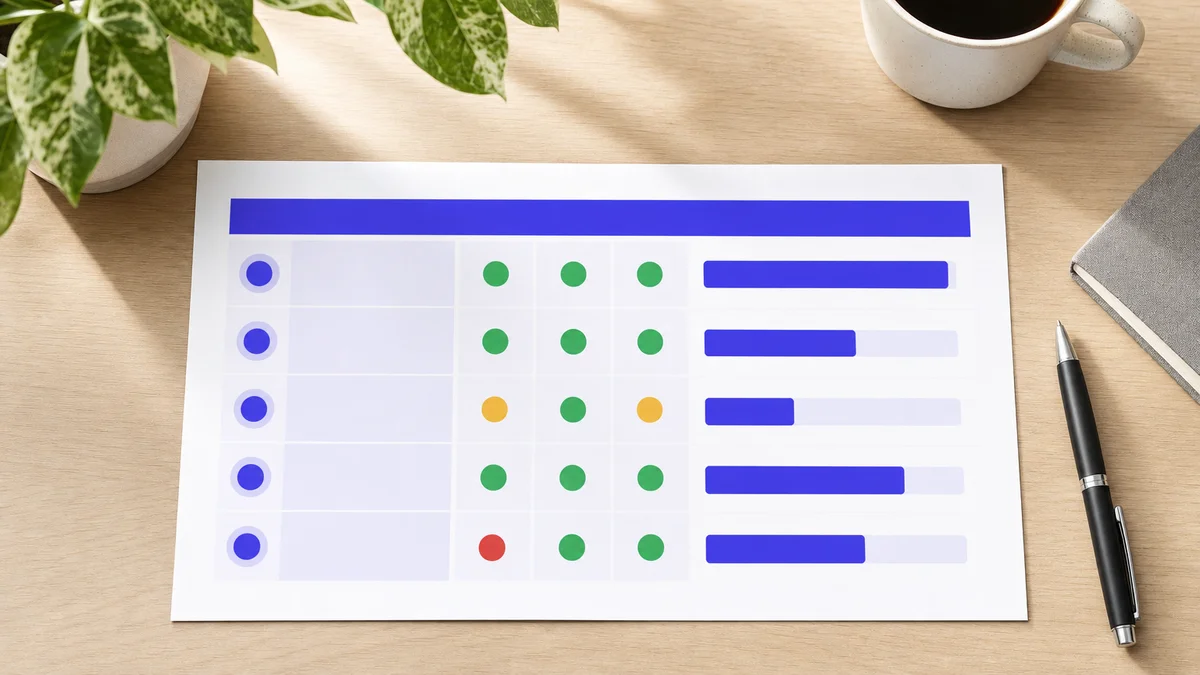
A printed one-page warmup report showing five mailbox rows with health indicator columns and send-volume bars
The most common mistake at this stage is treating the calendar as the only gate. A domain that completed 6 weeks of warmup but shows high spam-placement in the final week is not ready. A domain that completed 4 weeks with near-zero spam-folder placement and consistently strong reply engagement may be ready ahead of schedule, if the campaign volume target is moderate.
A pre-send readiness checklist
Before sending the first real campaign email, confirm each of the following. All items reflect skale.email's 2026 recommended pre-send checks.
Warmup has run for at least 4 uninterrupted weeks (skale.email recommends 6 to 8 weeks for new domains targeting higher send volume, per the 2026 ramp schedule).
SPF record is present, syntactically correct, and passing.
DKIM signature is configured and passing verification.
DMARC policy is in place. Even a monitoring-only (p=none) policy is better than none.
MX records resolve correctly to the intended mail server.
Reverse DNS (rDNS) resolves back to the sending domain.
The domain does not appear on any major blacklist, confirmed via MXToolbox (accessed 2026).
Spam-folder placement during the final week of warmup is near zero.
The campaign's recipient list contains only confirmed or verified contacts.
Campaign copy is conversational rather than promotional in tone.
As skale.email's own guidance states: warmup improves reputation but cannot compensate for poor data or spammy copy.
Limitations: When Standard Warmup Timelines Do Not Apply
Standard warmup timelines of 4 to 8 weeks assume a healthy starting point: correctly configured authentication records, a clean recipient list, and non-promotional email copy. If any of these conditions are missing, warmup takes longer and the outcome is less predictable. As skale.email's own guidance states, warmup improves reputation but cannot compensate for poor data or spammy copy.
The following situations fall outside the standard timeline assumptions:
Poor list quality. A recipient list containing invalid addresses, role accounts, or unverified contacts generates bounce rates and complaint signals that counteract any reputation built during warmup. No additional warmup time compensates for a bad list.
Promotional or HTML-heavy copy. Warmup builds reputation for a domain, not for a specific content type. If campaign content looks materially different from the plain, conversational warmup emails, the reputation signal does not transfer cleanly.
Pre-existing blacklist status. If a domain is already blacklisted before warmup begins, warmup alone will not clear the listing. Delisting must happen first; warmup can begin once the domain starts from a clean state.
DNS misconfiguration mid-warmup. An SPF record that breaks during week three, or a DKIM key rotated without updating the DNS entry, resets the authentication signal and extends the effective warmup period.
Who does not need a dedicated warmup tool
skale.email's own guidance is explicit: under 10 cold emails per day from an established inbox with real sending history, peer-level warmup may be sufficient and a dedicated subscription tool may not be necessary. Buyers in that band should evaluate honestly before committing to a paid plan.
How to Get Started with Email Warmup
Getting started with email warmup begins with DNS authentication records, not with the warmup tool itself. skale.email's 2026 setup guidance recommends configuring Sender Policy Framework, DomainKeys Identified Mail, and Domain-based Message Authentication before connecting any mailbox, starting brand-new domains at 5 to 10 emails per day, enabling threaded replies from day one, and running a full health check before the first campaign send.
The eight steps below follow skale.email's recommended warmup sequence.
Configure authentication records first. Set SPF, DKIM, and DMARC in your DNS before connecting any mailbox to a warmup tool. Allow 24 to 48 hours for DNS propagation to complete.
Run a health check before the first warmup send. Confirm that SPF, DKIM, DMARC, MX, rDNS, and blacklist status are all clean. Fix any errors before proceeding.
Set a starting daily volume of 5 to 10 emails per day for a brand-new domain, or 10 to 15 for a new inbox on an established domain, per skale.email's 2026 ramp schedule.
Choose a ramp strategy - progressive, flat, or randomized - that matches your use case and target campaign volume.
Enable threaded replies. Warmup that generates reply engagement produces a materially stronger reputation signal than warmup that only sends outbound.
Monitor health signals weekly, not just at the end of the ramp. SPF, DKIM, DMARC, spam-folder placement, and reply rates should all be checked at each phase transition.
Enable smart-freeze so that the warmup pauses automatically if health signals degrade, rather than continuing to scale into a worsening environment.
Run the pre-send readiness checklist before sending the first real campaign email, regardless of where the calendar stands.
If you are managing multiple inboxes simultaneously - for example, as an outbound agency warming several client domains at once - a multi-mailbox workspace dashboard is the practical alternative to checking each inbox individually. Per-inbox visibility at scale is the core reason agencies use a dedicated warmup platform rather than a manual process.
Start your free 15-day warmup trial at skale.email - no credit card required.
Frequently Asked Questions
How long does it take to warm up an email address?
Warming up an email address typically takes 3 to 8 weeks, based on skale.email's 2026 ramp schedule. A new address on a brand-new domain needs the full 6 to 8 weeks because the domain itself carries no sending history. An address added to a domain with a clean record can reach campaign-ready status in 3 to 4 weeks, provided daily send counts ramp gradually and all three authentication records are configured correctly before warmup begins.
How long to warm up new email accounts?
New email accounts generally need 4 to 8 weeks of structured warmup before handling full campaign volume reliably, according to skale.email's 2026 ramp guidance. Sends should stay in single digits during the first two weeks. Weeks three and four expand into the low tens. By weeks five through eight, volume can climb toward the campaign target if reply rates and spam-folder placement signals remain healthy. Rushing this schedule is the most common cause of early-stage spam-folder placement.
How long does email warmup take?
Email warmup takes between 3 and 8 weeks for most new inboxes and sending domains, per skale.email's 2026 ramp guidance. The exact length depends on three variables: whether the domain is brand new or has some history, the target daily send volume, and whether Sender Policy Framework, DomainKeys Identified Mail, and Domain-based Message Authentication records are cleanly configured before warming begins. Lower-volume targets on established domains can clear the threshold in 3 to 4 weeks.
How long do you need to warm up an inbox?
Most inboxes need 4 to 6 weeks of active warmup to reach a safe baseline for outbound campaigns, per skale.email's 2026 ramp schedule. An inbox targeting fewer than 50 emails per day can often complete warmup in 4 weeks. An inbox targeting 100 or more sends per day should plan for 6 to 8 weeks. A flagged or recovering inbox follows the same 6 to 8 week window, starting from a reset baseline of very low daily volume.
Conclusion
The realistic answer to how long email warmup takes is 3 to 8 weeks. Brand-new domains with zero sending history need the full 6 to 8 weeks, per skale.email's 2026 ramp schedule. Domains with some legitimate history can clear 3 to 4 weeks. In both cases, the calendar is a guide, not the gate.
Here is the more important point: if your domain clears all the week-4 readiness signals ahead of schedule and you are targeting under 50 sends per day, a low-volume campaign does not need to wait for week 8. Check spam-folder placement, reply engagement, and all authentication signals together. When all three are clean, you are ready.
The actions that matter most happen before day one of warmup. SPF, DKIM, and DMARC must be in place and passing before the first warmup email goes out. A domain warming without those records is not building reputation; it is sending unauthenticated mail into filters that will not improve their view of it.
Once authentication is clean, the ramp is straightforward: start low, increase gradually, watch the signals weekly, and use smart-freeze if anything degrades. That sequence, followed consistently, is what separates a domain ready to send from one that is not.
Continue learning about warmup schedules and timelines:
How to warm up Outlook, Microsoft 365, Zoho, and custom SMTP mailboxes (coming soon)
What a warmup sequence actually sends: threads, replies, and topics that look real (coming soon)
Begin your warmup with a free 15-day trial at skale.email - no credit card required.